Finding the best employee training software is not simply about choosing the platform with the largest course library or the longest list of features. The right system needs to work for your organisation, your managers and most importantly, the people using it every day.
When comparing training software, it is worth looking beyond what a platform can offer on paper. Consider how easily training can be assigned, how progress is monitored, whether the system can support different roles and locations and whether it can accommodate learning that takes place outside a standard online course.
The best employee training platforms bring these different elements together, giving businesses a practical way to organise learning while making training easier for employees to access and complete.
Start with the training your business actually needs
Every organisation has different training requirements. A hospitality business may need to manage food safety, licensing and role-specific training, while a care organisation could have a very different set of mandatory and practical learning requirements.
This means there is no single definition of the best employee training software. A platform should first be assessed against the way your business operates.
Look at the types of learning you currently provide and consider where they take place. Is everything delivered through online courses, or do employees also need to read company documents, complete practical tasks, take part in reviews or receive information from managers?
Thinking about these requirements before comparing platforms can help you identify software that fits your existing processes rather than forcing your organisation to work around the system.
Look beyond the course catalogue
Courses are an important part of employee learning software, but they are only one element of a wider training process.
A useful platform should make it straightforward to allocate courses to the right people and keep track of who has completed them. Ideally, managers should be able to see relevant information without having to piece it together from spreadsheets, emails or separate systems.
It is also worth considering how easily new training can be introduced. Your organisation's requirements will change over time, so the platform should give you flexibility to add your own content alongside any existing course library.
This can be particularly valuable when businesses need to combine standard compliance training with their own procedures, policies and role-specific knowledge.
Consider how training is managed
The day to day administration of training can have a significant impact on how useful a platform becomes.
When comparing training software for employees, consider how much work is involved in assigning learning, monitoring completion and following up with individuals who have outstanding training.
Look for tools that allow training to be allocated according to relevant criteria such as job role, department, branch or location. This can reduce unnecessary administration and help employees see the learning that applies to them.
Automated reminders and clear progress information can also make a difference. Rather than relying on managers to remember who needs to complete what, the system can provide a clearer picture of outstanding requirements.
The aim is not simply to store training records. It is to make the ongoing management of learning more efficient and straightforward.
Think about onboarding as well as ongoing training
Employee training does not begin and end with compliance courses. For many businesses, some of the most important learning happens when someone first joins the organisation.
A new employee may need to complete introductory training, read key policies, understand company procedures and become familiar with their responsibilities before they are fully settled into their role.
When assessing employee learning software, consider whether onboarding can form part of the same process as ongoing development.
A platform that allows organisations to create structured learning journeys can help bring these stages together. New starters can be given the information and training they need from the outset, while managers have greater visibility of their progress.
This also avoids creating a separate process for onboarding and then moving employees into another system once their initial training is complete.
Make sure it works for different teams and roles
A workforce is rarely made up of people with identical responsibilities. Employees may work across different departments, branches, locations and job roles, each with their own training requirements.
The best employee training platforms should therefore provide enough flexibility to reflect these differences.
For example, a manager may need access to leadership training that is not relevant to a front-of-house employee, while staff working at one location may require training that does not apply elsewhere.
Being able to organise employees according to relevant groups makes it easier to provide targeted learning..
This can also help keep the employee experience more focused. Staff are presented with learning that is relevant to their role rather than having to work through a long list of material that doesn’t apply to them.
Don't overlook practical learning
Not every training requirement can be completed by watching a course and answering questions.
Businesses often need employees to carry out practical activities, demonstrate that they can follow a procedure or complete regular checks as part of their role.
This is where workforce training software can become more useful than a traditional course-only system.
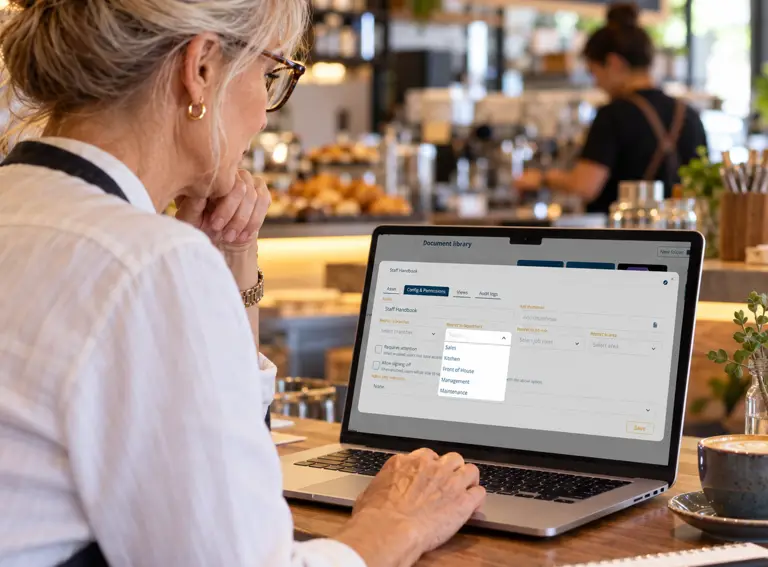
Features such as checklists can provide a way to record practical activities, while reviews can support structured conversations around performance, development and progress. Documents and resources can also give employees access to important information when they need it.
Bringing these elements together means training records can reflect more of what actually happens in the workplace, rather than only recording online course completions.
Check what managers can see
Good reporting should help managers understand what is happening without requiring them to manually gather information from different sources.
When comparing employee training software, look at the level of visibility provided. Can managers see completion rates? Can they identify overdue training? Can they monitor progress across different teams or locations?
It is also worth considering whether reports can support wider business requirements, particularly where organisations need evidence that training has been completed.
Clear reporting can make it easier to identify gaps and decide where further support may be needed. It also gives managers a more reliable overview than relying on employees to confirm that training has been completed.
Consider communication and engagement
Training is more effective when employees actually engage with the wider learning environment.
Some employee learning software includes features designed to keep staff informed and connected alongside formal training. These might include internal communication tools, shared resources or spaces where important updates can be posted.
This can be particularly useful for organisations with multiple sites or teams, where communicating information consistently can otherwise be difficult.
Rather than treating training as something employees only access when they have been assigned a course, a broader platform can make learning and communication part of their normal working experience.
Ease of use matters
Even a platform with extensive functionality will struggle to deliver value if employees and managers find it difficult to use.
When comparing the best employee training software options, consider the experience from both sides. Is it straightforward for administrators to set up training? Can managers quickly find the information they need? Can employees access their learning without unnecessary steps?
It is also worth considering how much support is available during implementation and beyond. A platform should not simply be handed over to your team with the expectation that everyone will work it out independently.
Training, guidance and ongoing support can make a considerable difference when introducing a new system, particularly for organisations with a large or varied workforce.
Compare the whole platform, not just individual features
It can be tempting to compare employee training platforms by working through a checklist of features. While this can be useful, it does not always show how well those features work together.
Instead, consider the complete experience.
Can the platform manage mandatory training while also supporting onboarding and development? Can managers monitor progress and practical activities in one place? Can employees access courses, documents and relevant information without switching between different systems?
Also consider whether the platform can continue to support your organisation as its requirements change. The best fit today should not become a limitation as your workforce grows or your approach to learning develops.
Finding the right fit for your organisation
There is no single platform that will be the right choice for every business. The best employee training software is the one that matches your organisation's requirements, is practical for managers to administer and gives employees a straightforward way to access and complete their learning.
Courses remain an important part of the picture, but they aren’t the only factor worth considering. Assignment tools, onboarding, practical activities, reporting, communication, flexibility and ease of use can all influence whether a training platform becomes a useful part of everyday operations.
Expert LMS brings these different areas together within one central platform, giving businesses a more connected way to manage learning and development across their workforce. A dedicated Support Team is also available, providing real people to help with questions, guidance and getting the most from the platform.
If you're comparing training software for employees and want to see how a wider approach to workforce learning could work for your organisation, see Expert LMS in action with a free trial.