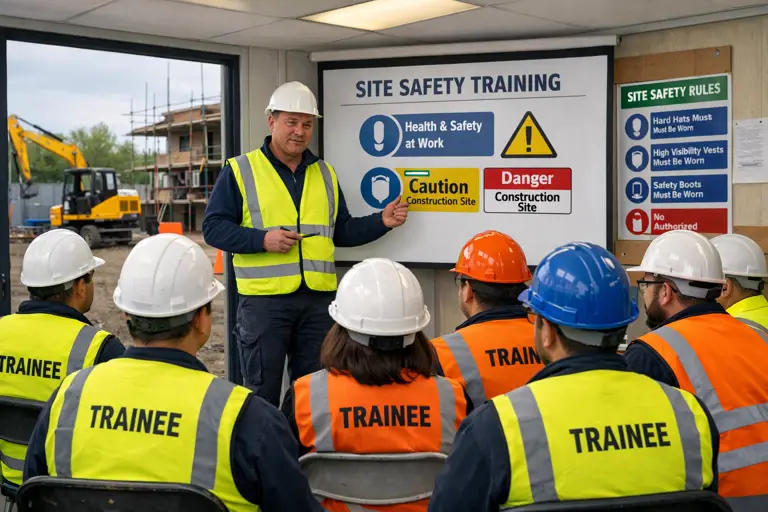
As UK contractors grow and operate across multiple live projects, keeping training consistent, compliant and easy to evidence becomes increasingly challenging. Paper files, scattered spreadsheets and site specific induction packs can’t keep pace with the demands of a mobile workforce. That’s where construction training software steps in, a practical way to remove friction, reduce risk and give managers clear oversight across every site.
This guide explores what to look for when choosing a construction learning platform, how to compare options and how the right system can relieve the everyday pain points contractors face.
Why Construction Training Software Matters
1. Consistency Across Every Site
Multi‑site contractors often see training standards drift. One project delivers a thorough induction, another relies on quick briefings, and a third uses outdated materials. A strong construction LMS centralises content so every worker receives the same baseline training, wherever they are deployed.
2. Compliance and Competence
Under the Health and Safety at Work etc. Act 1974 and CDM 2015, contractors must prove workers are trained and competent. Software makes this easier by storing certificates, tracking expiry dates and providing audit ready evidence at the click of a button.
3. Faster Onboarding
With labour shortages and tight deadlines, contractors need workers on site quickly. Employee training software for construction allows operatives to complete core training before arrival, reducing downtime and improving early confidence.
4. Clear Oversight for Managers
Project leads need to know who is qualified, who is overdue and who needs refresher training. A good construction learning management system provides real time dashboards that make workforce oversight simple and reliable.
Key Features to Look For in Construction Training Software
1. Centralised Training Content
Your chosen platform should allow you to store:
Induction modules
Health and safety courses
Company policies
Site specific training
Subcontractor requirements
This ensures every worker receives consistent, up to date information.
Where Expert LMS helps: with CreAIt, contractors can create unlimited bespoke training content tailored to the company, the site, the job role or the client - without relying on generic construction courses. This keeps training meaningful and relevant.
2. Role Based Training Paths
Look for software that lets you assign training based on:
Job role
Trade
Risk profile
Project type
This keeps training relevant, prevents workers from completing unnecessary modules and ensures competence is aligned with real world duties.
Where Expert LMS helps: career paths allow contractors to tailor training journeys, attach key documents like risk assessments and checklists and assign these automatically based on job role or site. This removes manual admin and ensures nothing is missed.
3. Certification Tracking and Expiry Alerts
One of the biggest operational risks is letting qualifications lapse. Your contractor training software should automatically:
Track CSCS and trade specific cards
Flag upcoming expiry dates
Notify managers before workers become non compliant
This reduces administrative errors and protects your business during audits.
Where Expert LMS helps: skills and competencies can be tracked centrally, with comprehensive reports that can be shared with stakeholders even if they don’t use the LMS.
4. Site Specific Module Creation
Multi‑site contractors need flexibility. Choose a system that allows you to quickly create:
Project specific inductions
Local hazard briefings
Client specific rules
Emergency procedures
This keeps training relevant without losing consistency.
Where Expert LMS helps: CreAIt makes it easy to build site specific modules in minutes, ensuring each project has clear, accurate and up to date training.
5. Subcontractor Visibility
Subcontractors often arrive with mixed training backgrounds. Your software should:
Allow subcontractors to upload certificates
Verify minimum requirements before arrival
Provide clear pass/fail criteria
This ensures competence before anyone steps onto site.
Where Expert LMS helps: managers can quickly check subcontractor compliance, track missing training and ensure minimum standards are met before access is granted.
6. Mobile Friendly Delivery
Workers rarely sit at desks. A strong construction LMS should work seamlessly on:
Mobile phones
Tablets
On site kiosks
This makes training accessible wherever workers are.
Where Expert LMS helps: Feeds keep teams connected and updated, with the ability to mark posts as important so they must be read - ideal for urgent site updates or safety notices. And because Expert LMS includes a free mobile app for both Android and iOS, workers don’t need to hunt for a spare laptop or wait until they’re back in the office. Training, updates and key documents are always in the palm of their hand, making communication and compliance far easier on busy sites.
7. Audit Ready Reporting
Compliance checks are easier when your system can instantly produce:
Training histories
Competence matrices
Expiry reports
Subcontractor compliance summaries
This saves hours of manual admin and reduces audit stress.
Where Expert LMS helps: the dashboard gives managers quick access to key stats, while scheduled reports can be emailed directly to stakeholders who don’t use the LMS.
Common Mistakes When Choosing Construction Training Software
Choosing a generic LMS that doesn’t support site specific needs
Relying on manual uploads instead of automated workflows
Allowing each site to manage training separately
Overlooking the importance of mobile access
Ignoring subcontractor compliance requirements
The right platform should feel built around the realities of construction: flexible, practical and easy to use on busy projects.
How Expert LMS Supports Multi‑Site Contractors
Expert LMS isn’t positioned as a dedicated construction LMS instead, it’s a flexible platform that adapts to the unique needs of construction companies. With unlimited content creation, tailored career paths, automated assignments, document management, feeds, dashboards and comprehensive reporting, it helps contractors:
Deliver consistent training across all projects
Create bespoke modules for sites, clients and job roles
Strengthen inductions with risk assessments and checklists
Track skills, competencies and certification expiry
Share reports with stakeholders outside the LMS
Keep teams connected with important updates
Maintain clear, accessible documentation
It becomes the central hub that keeps workforce competence organised, visible and easy to manage.
Summary
Choosing the right construction training software is one of the most effective ways contractors can improve safety, streamline onboarding and maintain compliance across multiple sites. Look for a platform that centralises content, tracks certifications, supports subcontractors and provides clear visibility for managers.
If you’re looking for a construction training solution that removes admin headaches, strengthens compliance and keeps every site aligned, Expert LMS can help you build a training process that actually works day to day. When you’re ready, we can walk you through how other contractors are using it to simplify multi‑site training and improve workforce visibility.
© 2026 Expert LMS Limited, Office 10, First Floor, 1 The Portway, Porthcawl, Wales, CF36 3XB. Company Number: 13405809, VAT Number: 425538589
Website design and development by Rescope
Cookies
We'd like to use analytics cookies so we can make improvements to our website. We also use essential cookies to make the website functional.