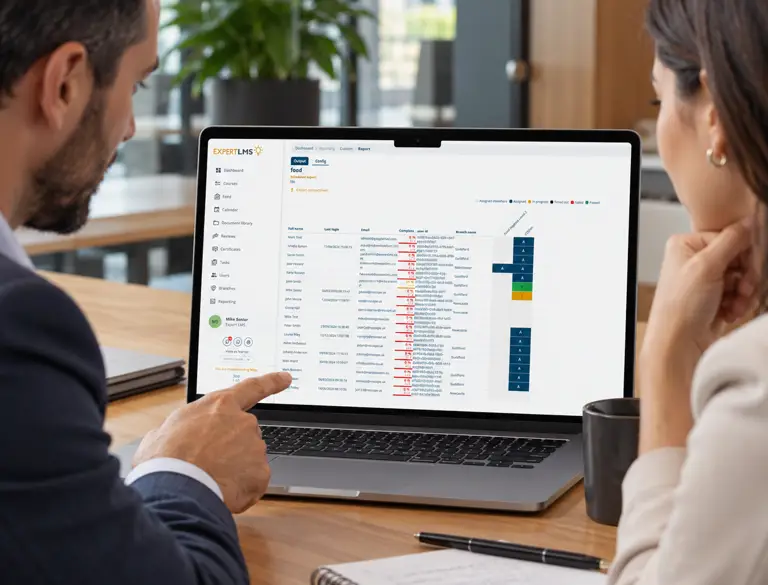
Employee training records provide an important history of the learning people have completed, the qualifications they hold and the training relevant to their roles. However, when information is spread across spreadsheets, paper files and separate systems, maintaining a complete record can become difficult.
Training records software helps organisations bring employee learning information together in a structured digital format. For businesses evaluating solutions, the priority is finding a system that keeps records organised, makes information easier to retrieve and supports record-keeping requirements as the workforce changes.
What Is Training Records Software?
Training records software enables organisations to maintain information about employee learning in a central, accessible system. Depending on the platform, records may include completed courses, assessment results, training dates, certificates and other relevant learning activities.
Employee training records software can help HR teams, training managers and line managers maintain an accessible employee training history, showing what learning has taken place. Instead of searching through separate files or asking different departments for updates, authorised users can retrieve relevant information through one system.
The scope of these solutions varies. Some focus primarily on storing and retrieving training information, while others connect records with course assignments, learning activities and reporting tools. Understanding this distinction helps organisations identify a solution that fits their wider training processes.
Why Are Reliable Employee Training Records Important?
Maintaining reliable staff training records gives organisations a clearer picture of the learning employees have undertaken. This information can be useful for several reasons.
Supporting audits and internal reviews
Organisations may need to demonstrate that particular training has taken place or provide evidence of relevant qualifications. Well-organised records make it easier to retrieve the appropriate information without searching through multiple sources.
Maintaining training histories
When employees change roles, move departments or take on additional responsibilities, their previous learning provides useful context. A consistent record helps managers review what has already been completed and identify any further training that may be appropriate.
Managing certificates and qualifications
Where a role requires a specific qualification or certificate, organisations need to know what evidence they hold and whether it remains valid. Recording relevant dates and supporting information can help identify certificates that need reviewing or renewing.
Supporting informed decisions
Training histories can help managers understand employees' previous learning when considering development needs, role changes or additional responsibilities. However, records of completed training do not automatically demonstrate practical competence.
What Should an Employee Training Record Include?
The information required will depend on the organisation, its industry and the nature of the training. A useful record should contain enough detail to identify the learning undertaken and establish what the information demonstrates.
Depending on the circumstances, this may include:
Employee details: Information identifying the individual the record relates to.
Course or training details: The name of the course, qualification or learning activity completed.
Completion dates: When the learning took place or was completed.
Assessment results: Relevant scores or outcomes where an assessment forms part of the training.
Certificates and qualifications: Details of certificates awarded and supporting evidence where appropriate.
Validity and renewal dates: Expiry dates or renewal requirements where these apply.
Additional evidence: Relevant assessment documents or other records required to demonstrate the learning undertaken.
Not every record needs every field. Organisations should retain information that is relevant, accurate and sufficient for its intended purpose.
Clear updating procedures are also important. For example, a newly awarded qualification may need to be added to an employee's history, while an expired certificate should not continue to appear as currently valid.
What Challenges Can Digital Training Records Solve?
Paper-based files and spreadsheets may be adequate for straightforward requirements, but they can become harder to manage as an organisation grows.
One common problem is fragmentation. Training information may be held by different departments, managers or external providers, leaving no single place to consult an employee's full history. Finding a certificate or confirming a completion date can then involve several requests and manual checks.
Inconsistency creates another challenge. Different teams may record the same information in different formats, while duplicate files and outdated spreadsheets can make it unclear which version is reliable.
Staff changes can introduce further complications. When employees move between roles or locations, relevant records need to remain accessible to authorised people, with permissions reflecting their current responsibilities.
Digital training records can help address these issues by bringing information into a more structured environment. Depending on the software, users may be able to search records, access supporting documents and review learning information without relying on physical files or separate spreadsheets.
However, digitisation alone does not guarantee accuracy. Existing records still need to be checked and organisations need clear procedures for maintaining information and controlling access.
How Can Organisations Keep Training Records Accurate and Accessible?
Suitable software provides a foundation, but dependable records also require consistent management.
Establish clear ownership. Decide who is responsible for adding information, checking records and correcting errors. Clear responsibilities reduce the risk of important updates being overlooked.
Standardise how information is recorded. Agree which details should be captured for different types of learning. Consistent naming conventions and recording practices make records easier to understand and compare.
Review records periodically. Check for missing details, duplicate entries, outdated information and certificates that may need attention. Review frequency should reflect the organisation's requirements and the importance of the information.
Control access appropriately. Training records can contain personal information and supporting documents. Permissions should allow people to access what they need for their role without giving unnecessary access to other employees' information.
Set retention and disposal rules. Determine how long different records need to be retained, taking account of applicable legal requirements, contractual obligations and legitimate business needs. Information should not be kept indefinitely without a valid reason.
Make retrieval straightforward. Consider how HR teams, managers and other authorised users will locate information when responding to an audit request, reviewing qualifications or checking an employee's learning history.
These practices help organisations maintain useful records over time rather than allowing information to become outdated or difficult to manage.
What Should You Look for in a Training Record Management System?
When comparing providers, consider how well the system supports the full lifecycle of a training record, from capturing information to retrieving and reviewing it later.
Centralised records: Can relevant employee learning information be accessed through one organised system?
Search and retrieval: Can authorised users locate an employee's history, a particular course or supporting evidence without extensive manual searching?
Document storage: Can relevant certificates and supporting documents be stored or linked to the appropriate records?
Access permissions: Can access be controlled according to users' responsibilities?
Record maintenance: Is it straightforward to update information, correct errors and review older records?
Reporting capabilities: Can the organisation produce useful summaries or retrieve information for internal reviews and audits?
Integration with training processes: Can records connect with course assignments and wider learning activities, reducing the need to maintain separate information manually?
Scalability and support: Will the system continue to meet the organisation's needs as employee numbers and training requirements change?
It is also worth asking prospective providers how they handle data security, backups, record retention and the export of information if the organisation changes systems in the future.
Demonstrations can help establish whether the software is practical to use. Ask providers to show how an authorised user would locate an employee's training history, retrieve a certificate and review relevant learning information.
The best choice is not necessarily the platform with the longest feature list. It is the solution that meets the organisation's requirements and enables people to maintain and retrieve records reliably.
Managing Employee Training Records with Expert LMS
Expert LMS brings together different aspects of employee learning within one platform, helping organisations manage learning activities and access relevant information.
Different features support different parts of the process:
Courses and Career Paths: Organise employee learning, with Career Path priority settings to distinguish mandatory, non-priority and optional learning.
Checklists: Support structured tasks and processes, allowing organisations to record relevant information as employees work through them. Manager sign-off can help confirm that tasks have been reviewed and completed.
Document Library: Provides a central place to store and organise documents, with access permissions tailored to different user groups. Its sign-off feature records the date and time an employee signs off on a document, such as a company policy, providing useful evidence for audits.
Reviews: Help managers document discussions and review employee progress.
Custom Reports and Custom Metrics: Help organisations monitor selected training information and report on relevant measures, including valid certificates where configured.
Build a More Reliable History of Employee Learning
Reliable training records help organisations demonstrate learning activity, retrieve important information and make informed decisions. The right software should make records easier to maintain, with appropriate access controls and processes that remain effective as the workforce changes.
Ready to bring your training records together? Discover how Expert LMS can help you organise employee learning and access relevant information through one central platform. Book a demo this week to explore our all in one solution.